Moving from Excel spreadsheets to a LIMS: limits, warning signs and a phased migration plan
A practical guide to replacing lab spreadsheets with a LIMS: where Excel falls short, what to migrate, a phased plan, choosing software, mistakes to avoid.
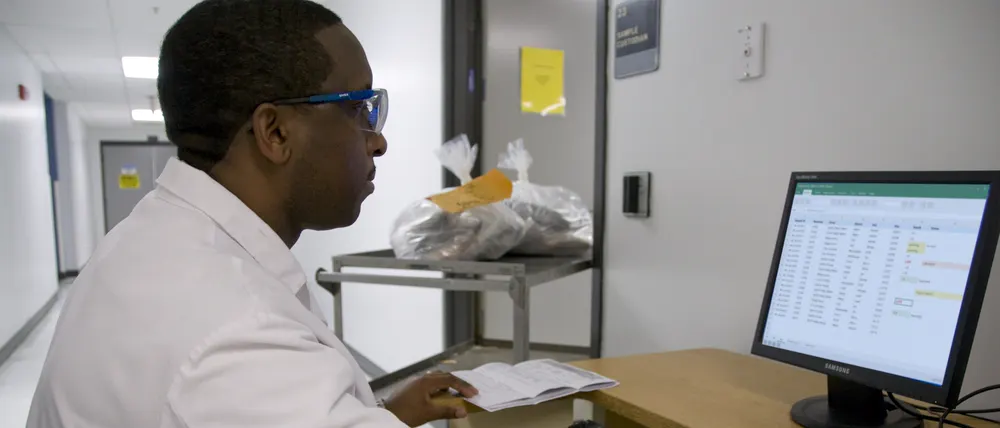
Almost every laboratory starts on spreadsheets. A sample log in one workbook, a results template per method, a specifications tab copied from a controlled document, and a Word template for the certificate of analysis. It works, it costs nothing extra, and everyone already knows how to use it.
The trouble is that spreadsheets fail gradually. Nothing breaks on a particular day. Instead, the workarounds pile up: a naming convention for file versions, a colleague who is the only person allowed to edit the master log, a second person who rechecks every calculation by hand before a report goes out. This guide looks at where spreadsheets genuinely fall short in a lab, how to tell when you have outgrown them, and how to move to a LIMS without turning the migration into a project that never ends.
Where spreadsheets fall short in a laboratory
Spreadsheets are excellent calculators and flexible tables. They were not designed to be a system of record for regulated or customer-facing laboratory data. The gaps tend to show up in the same places.
Version control
Workbooks get copied, emailed and saved under new names. Before long there is a "Results_2026_final" and a "Results_2026_final_v2", and nobody is entirely sure which one the report was generated from. Templates drift too: a formula gets corrected in one copy of a method worksheet but not in the others.
Audit trail
A cell can be overwritten and the old value is gone. File-level change tracking and shared-drive version history help a little, but they do not record which result changed, from what value to what value, by whom, and for what reason. That is exactly what an auditor or an investigation needs. Regulations such as 21 CFR Part 11 and EU GMP Annex 11 set expectations for audit trails on electronic records, and meeting them with an ordinary workbook is difficult.
Concurrent editing
When two analysts need to enter results at the same time, someone gets a locked file or a conflicting copy. Cloud-hosted workbooks reduce the locking problem, but they introduce a different one: anyone with edit rights can change anything, anywhere in the sheet, at any time.
Traceability
Following a result back to its sample, the sample back to its receipt and chain of custody, and the result forward to the report it appeared on usually means opening several files and matching IDs by eye. Linking the instrument used, its calibration status on the day, the reagent lots and the analyst's training record is rarely done at all, because the spreadsheet has no natural place for those relationships.
Specifications and limits applied by hand
Comparing each result against the right specification is often a manual step, or a conditional format that someone set up years ago. When a specification changes, every template that carries a copy needs updating. Miss one, and a result can pass against an outdated limit. Out-of-specification results depend on someone noticing and starting the investigation, rather than the system flagging them.
Report assembly
Building a CoA usually means copying values from the results workbook into a report template. Each copy-paste is a transcription step that has to be checked, and the review that catches errors is time that could be spent on the science.
Signs you have outgrown spreadsheets
None of these on its own means you must buy software tomorrow. Several at once usually means the spreadsheets are costing more than they appear to.
- Reviewers spend a large share of their time rechecking transcription and calculations instead of reviewing the data itself.
- Answering "where is this sample?" or "what is still open for this customer?" requires asking a person rather than looking it up.
- Audit or customer findings mention data integrity, change control or audit trail.
- Specifications and test lists exist in more than one place, and keeping them consistent is someone's informal job.
- One or two people understand how the workbooks fit together, and the lab is nervous whenever they are on leave.
- Sample volume, the number of analysts, or the number of sites has grown since the spreadsheets were designed.
- Customers ask for faster reporting, online access to results or data in a format you have to build by hand.
- Instrument data is retyped from printouts or exported files into the workbook.
What to migrate, and what to leave behind
The single biggest factor in how smoothly a migration goes is not the software. It is the quality of the data you bring into it. It helps to think of the data in three groups.
Master data
This is the reference data the LIMS will run on, and it deserves the most attention:
- Tests and analytes: names, units, reporting precision and rounding rules.
- Methods: method identifiers and versions, the tests each method produces, and any calculations.
- Specifications: limits per product, grade or sample type, including how limits are expressed (ranges, one-sided limits, "report only", text results such as "conforms").
- Products, materials and sample types, with the tests normally assigned to each.
- Customers and sites, if you test for external clients, including contacts who receive reports.
- Instruments and equipment, with calibration and maintenance due dates.
- Users and roles: who can log samples, enter results, review and approve.
Expect this to take longer than you plan. Spreadsheets tolerate inconsistency, so the same test may appear under three spellings and the same specification may differ slightly between two templates. Cleaning this up is valuable work in its own right, and it should be finished and reviewed before it is loaded.
Open work
Samples that are received but not yet complete need a plan. The two common options are to finish them on the spreadsheets and start only new samples in the LIMS, or to load open samples into the LIMS at cutover. The first is simpler and usually safer for a small lab. The second makes sense when turnaround times are long and you do not want to run two systems for weeks.
History
Historical results are where migrations get bogged down. Old data was entered under old naming, old specifications and sometimes old methods, so importing it cleanly is real effort. Ask what you actually need it for. If the answer is trending, stability studies or answering customer queries about past lots, a targeted import of the relevant subset may be justified. Otherwise, keep the spreadsheets as a locked, read-only archive, retained according to your records procedures, and reference them when needed.
A phased migration plan
Moving everything at once is the most common way these projects stall. A phased plan keeps each step small enough to finish and verify.
- Map the current process. Walk a sample from receipt to report and write down every spreadsheet, template and manual step it touches. Note where decisions are made, such as which tests to assign, whether a result is in specification, and who approves.
- Choose a first scope. Pick one sample type, product line or customer group with a well-understood workflow. A single QC release process is a good candidate. Leave unusual workflows for later phases.
- Clean and freeze master data for that scope. Consolidate tests, methods and specifications into one reviewed list. Have the people who own the specifications sign off before it is loaded.
- Configure or build the workflow. Sample login, test assignment, result entry with calculations, specification checks, OOS flagging, review and approval, and the CoA. Keep it to what the first scope actually needs.
- Test with real examples. Run recent, completed samples through the new system and compare outcomes with what the spreadsheets produced. Differences are often where you find old spreadsheet errors, so investigate each one.
- Validate as appropriate. In regulated labs, document requirements, testing and approval proportionate to risk, according to your quality system.
- Train and cut over. Set a cutover date, decide how open samples are handled, and lock the old workbooks for that scope so new data cannot be added to them.
- Run, review, then extend. Give the first phase a few weeks of real use, collect feedback, fix what matters, then add the next sample type, an instrument interface or a customer-facing reporting step.
Integration with instruments is a good second or third phase rather than a first one. Getting the core workflow right first means the interfaces have a stable target. If instrument data is a major pain point, our article on laboratory instrument integration covers the options in more detail.
Choosing the right kind of system
There are broadly three kinds of software a lab leaving spreadsheets can choose from. None is right for everyone.
| Option | Strengths | Watch out for | Often fits |
|---|---|---|---|
| Off-the-shelf or SaaS LIMS | Quick to start, vendor maintains it, common workflows built in | Your process has to fit the product; per-user subscription costs add up; limited control over data model and roadmap | Labs whose workflows closely match the product's design |
| Configurable LIMS platform | Broad functionality, configurable workflows, suited to larger or multi-site operations | Configuration effort, specialist skills, licensing and implementation costs that can outweigh the needs of a small lab | Larger labs with many workflows and dedicated LIMS staff |
| Purpose-built application | Built around your actual process; only the features you need; you can own the application and its data | Requires clear requirements and a trustworthy development partner; you are responsible for maintenance arrangements | Labs with a distinctive core workflow or integration needs that products handle poorly |
A few questions help narrow the choice:
- How close is your core workflow to what a standard product assumes? Ask vendors to demonstrate your process with your sample types, not their standard demo.
- How many users will you have now and in a few years, and how is each option priced as that changes?
- What does the system need to connect to: instruments, an ERP, customers, an existing LIMS at a parent site?
- Who will maintain configuration and master data after go-live?
- Can you export all of your data, in a usable form, if you ever leave?
For a deeper look at when a purpose-built system makes sense and when it does not, see when a small laboratory needs a custom LIMS.
Common mistakes to avoid
- Recreating the spreadsheet in software. The goal is to remove manual checks, not to give them a new screen. If the LIMS still needs someone to compare each result to a limit by eye, the opportunity was missed.
- Loading master data before it is clean. Inconsistent test names and duplicate specifications are much harder to fix once results reference them.
- Trying to migrate all history. It consumes time and goodwill and rarely pays off. Archive deliberately instead.
- Scoping every workflow up front. A long requirements phase covering every edge case often delays the first useful result. Start with the core process.
- Leaving the analysts out. The people who enter results every day know where the spreadsheets are fragile and which workarounds exist. Involve them in mapping and testing.
- Running two systems indefinitely. Parallel running for a short, defined period is reasonable. Without a firm cutover, people keep using whichever is more familiar.
- Treating software as compliance. A system with an audit trail and electronic signatures supports data integrity, but compliance also depends on procedures, training, access control, validation and how the lab actually works.
How SpectraLIMS can help
We build focused laboratory software for labs that have outgrown spreadsheets but do not need, or cannot justify, an enterprise LIMS implementation. Our small-laboratory software work typically starts with one core workflow and grows from there.
If you want to see what that looks like in practice, our LIMS for quality control labs accelerator is a working demonstration of a QC workflow: batches, samples, testing against specifications, OOS investigations, review and approval, CoA generation, instrument calibration and an audit trail. It is a functional starting point rather than a finished, validated product, and it is a useful way to make requirements concrete before committing to anything. To talk through your current spreadsheets and what a first phase could look like, get in touch.
Frequently asked questions
Can Excel be used as a LIMS?
Excel can record samples and results, and many small labs run that way for years. What it does not provide on its own is enforced workflow, user-level access control, a reliable audit trail or safe concurrent editing. Once several people depend on the same workbook, or an auditor asks who changed a result and why, those gaps start to matter.
How long does it take to migrate from spreadsheets to a LIMS?
It depends far more on the state of your master data and the number of workflows in scope than on the software. A single, well-understood workflow with clean test and specification lists moves much faster than a lab with years of inconsistent naming across many workbooks. A phased approach, starting with one sample type or one product line, keeps the first go-live small.
Should we migrate all of our historical spreadsheet data into the new LIMS?
Usually not. Most labs migrate master data and open work, then keep historical spreadsheets as a locked, read-only archive under their records retention procedures. Importing old results is worth the effort only when you actively need them in the system, for example for trending or customer history, and then only after cleaning and verifying them.
Do we need to validate a LIMS that replaces spreadsheets?
If the lab works under GMP, GLP or similar regulations, the new system will generally need to be validated for its intended use, and so should the controlled spreadsheets it replaces have been. Under ISO/IEC 17025, the lab is expected to show that software used for data handling is fit for purpose. The software supports compliance, but the validation approach and the procedures around it belong to the lab's quality system.